


Book a demo and get $50 off your first purchase

Free mobile app

The free SMS Storetraffic app for your people counters

The SMS Storetraffic app is a free iOS and Android app for PEARL and 3D SCOPE II LC people counters. Set up your counter, monitor locations, and check foot traffic from your phone, with no monthly subscription.

Download the SMS Storetraffic app on the App StoreGet the SMS Storetraffic app on Google Play

Get connected

Foot traffic data, straight to your phone

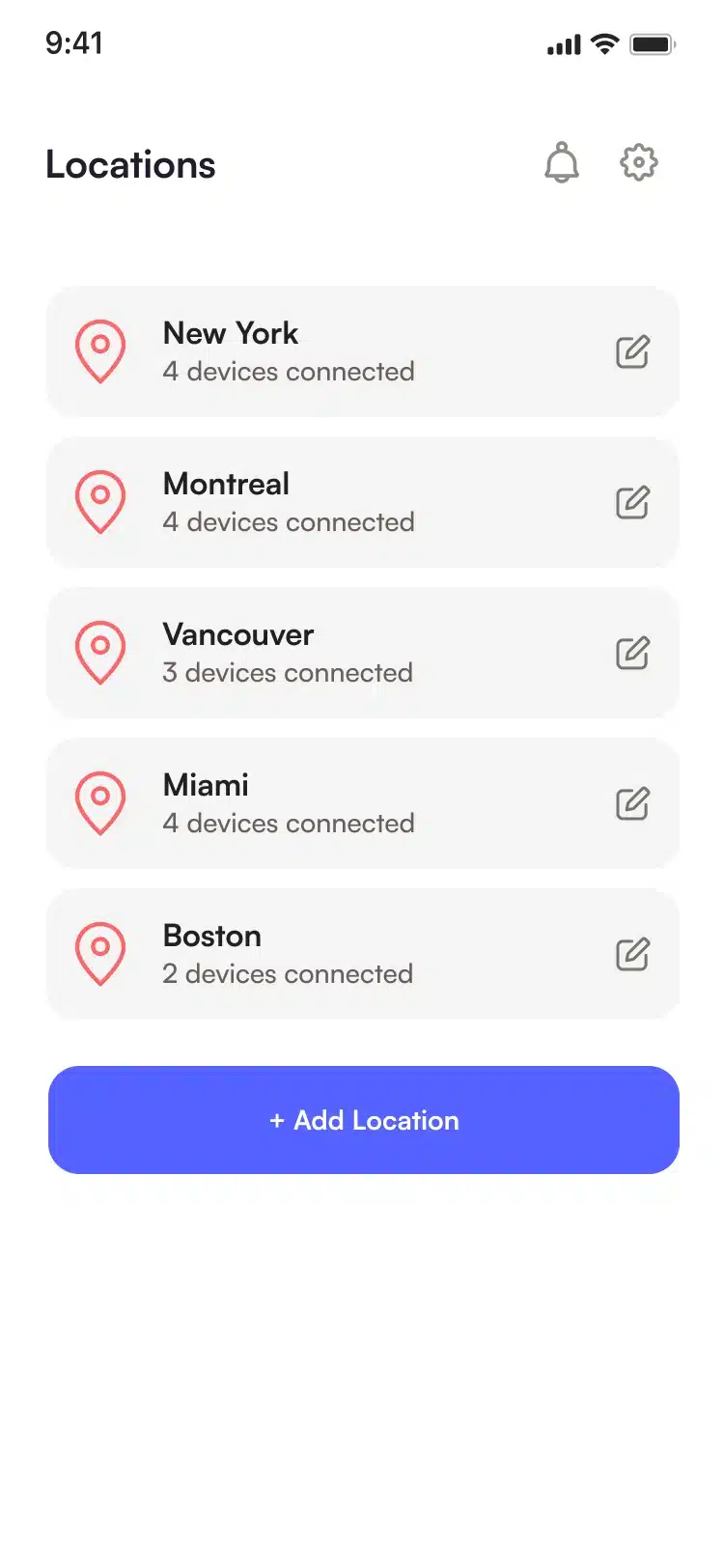
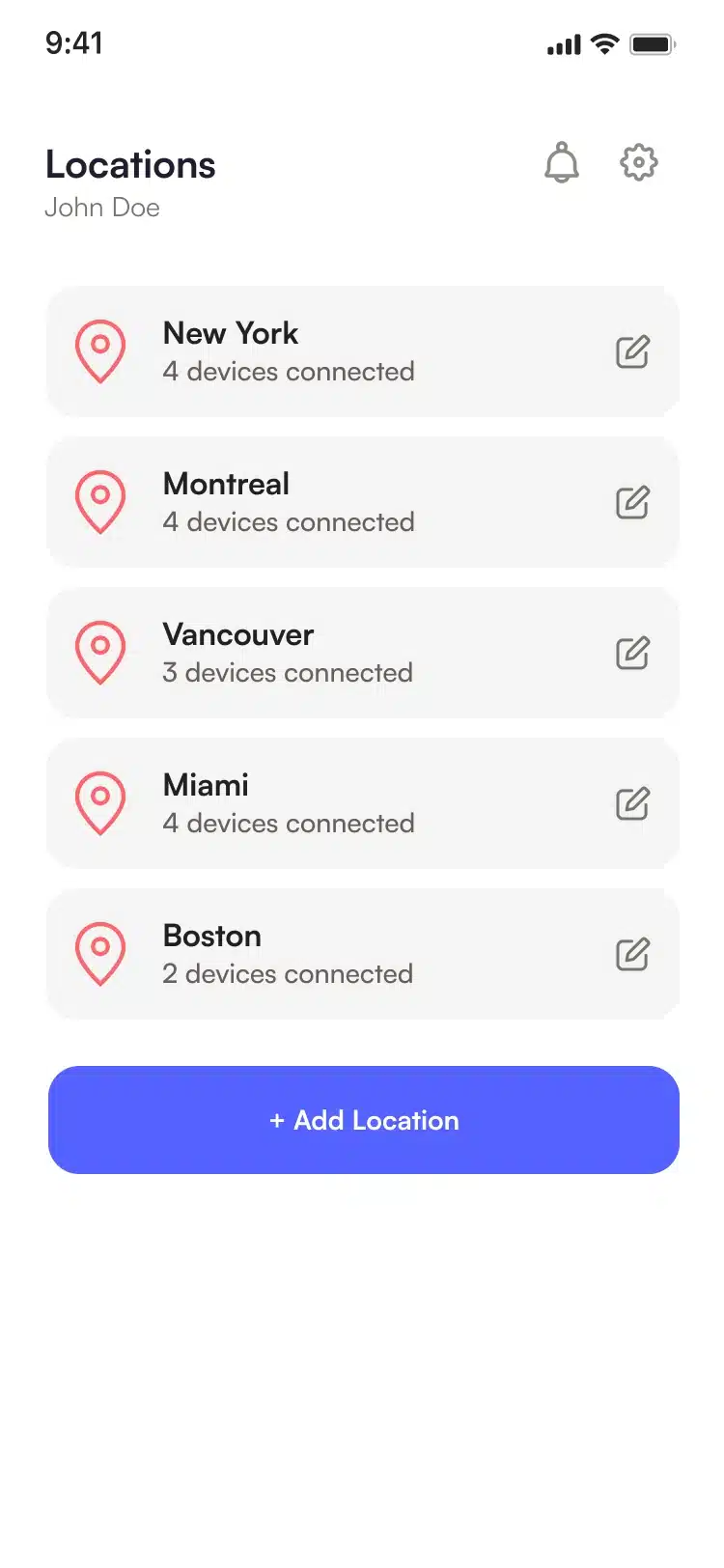
The Locations screen of the SMS Storetraffic app, listing each location with the number of devices connected and an Add Location button
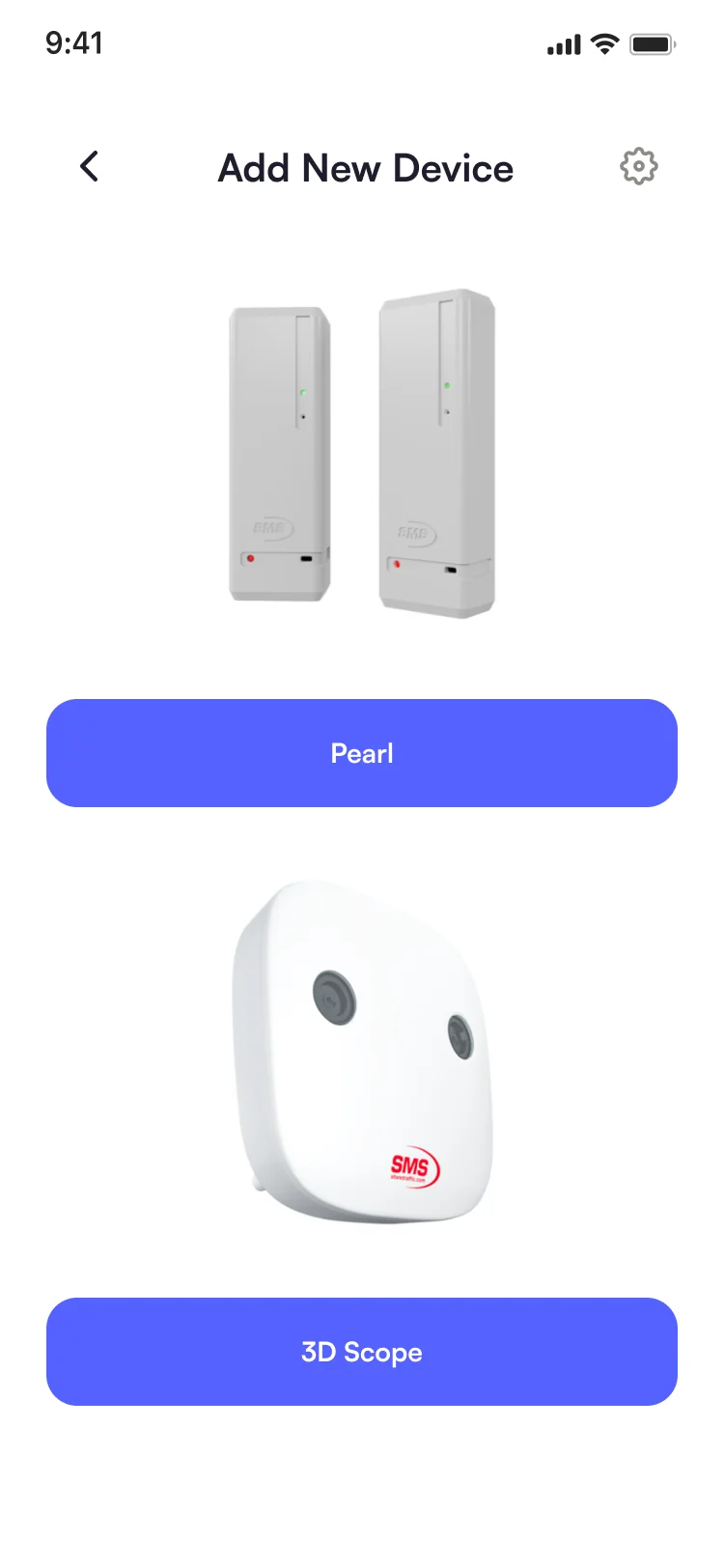
The Add New Device screen of the SMS Storetraffic app, with Pearl and 3D Scope
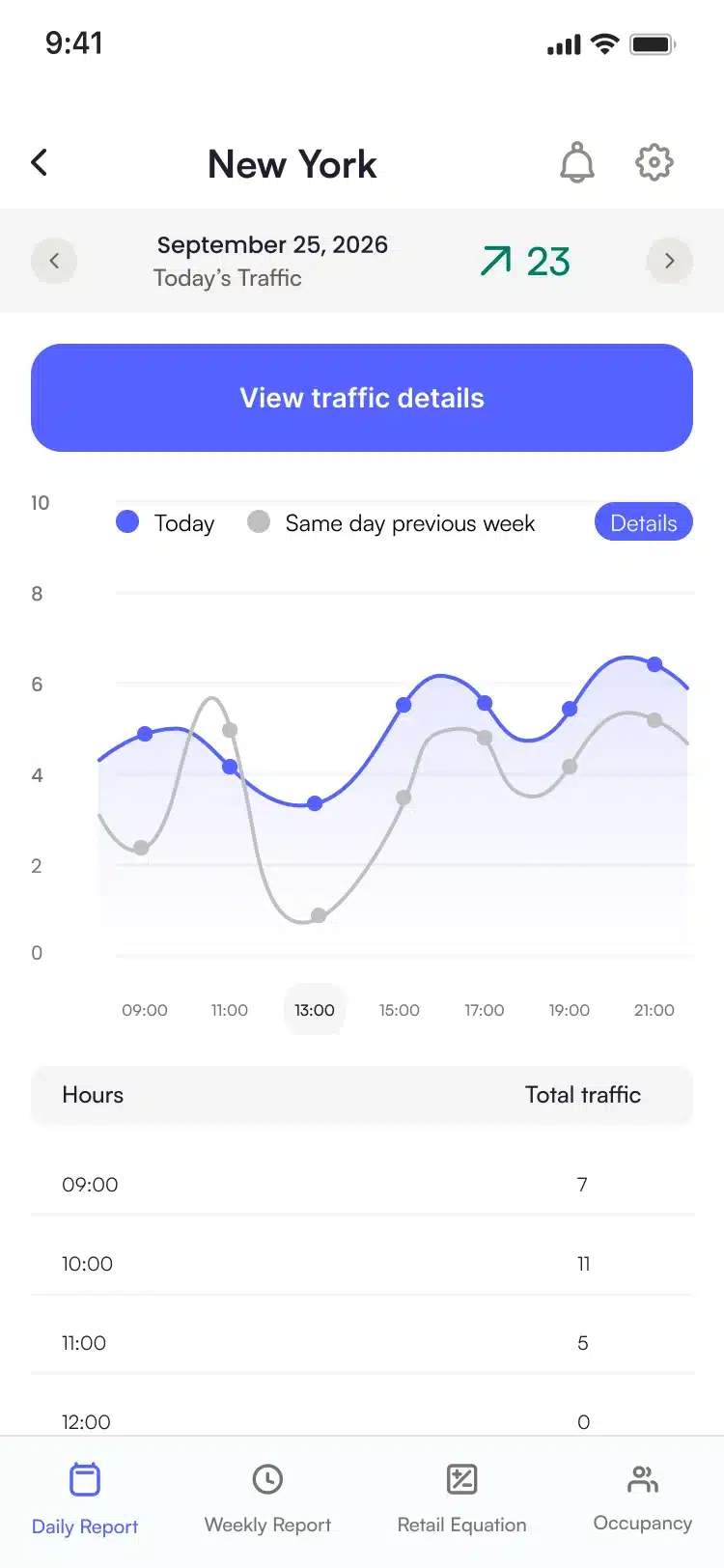
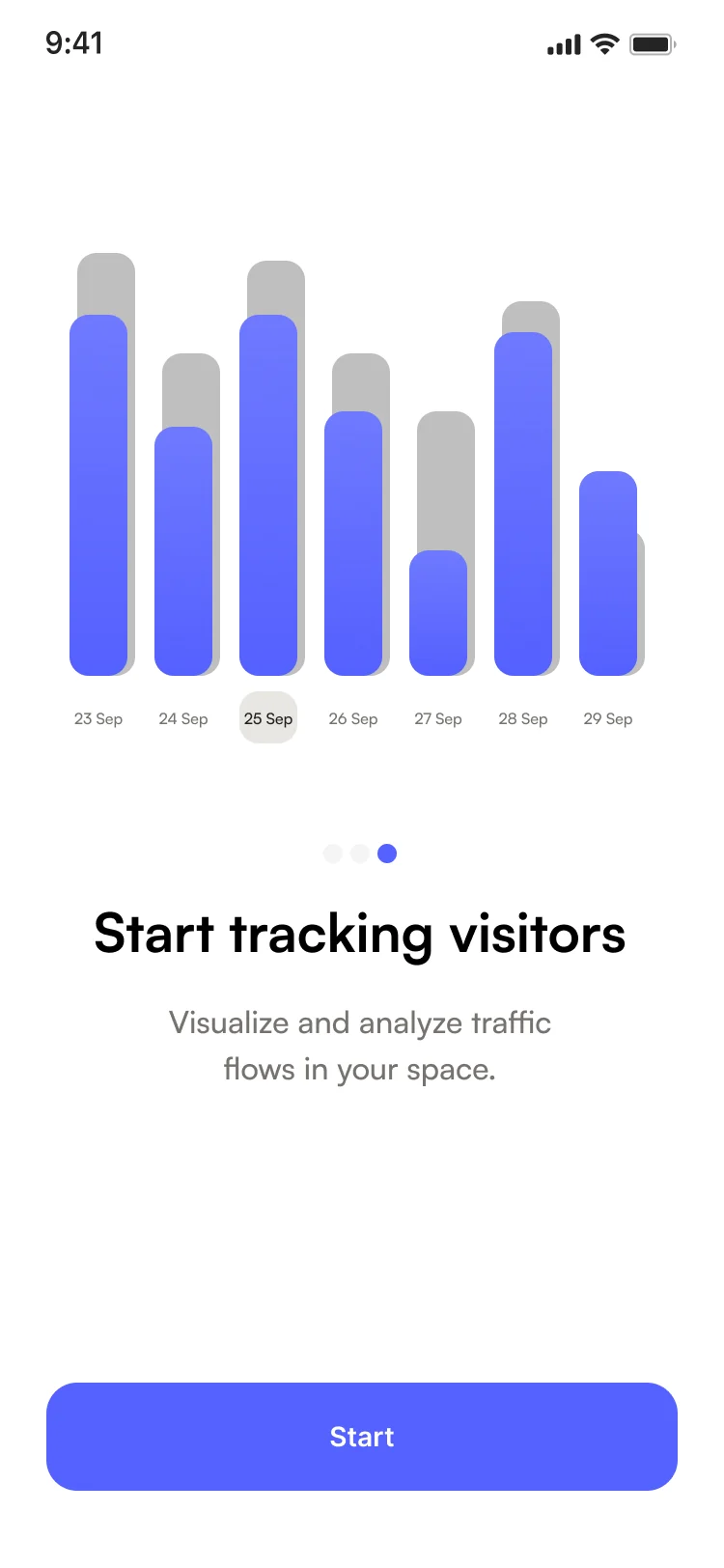
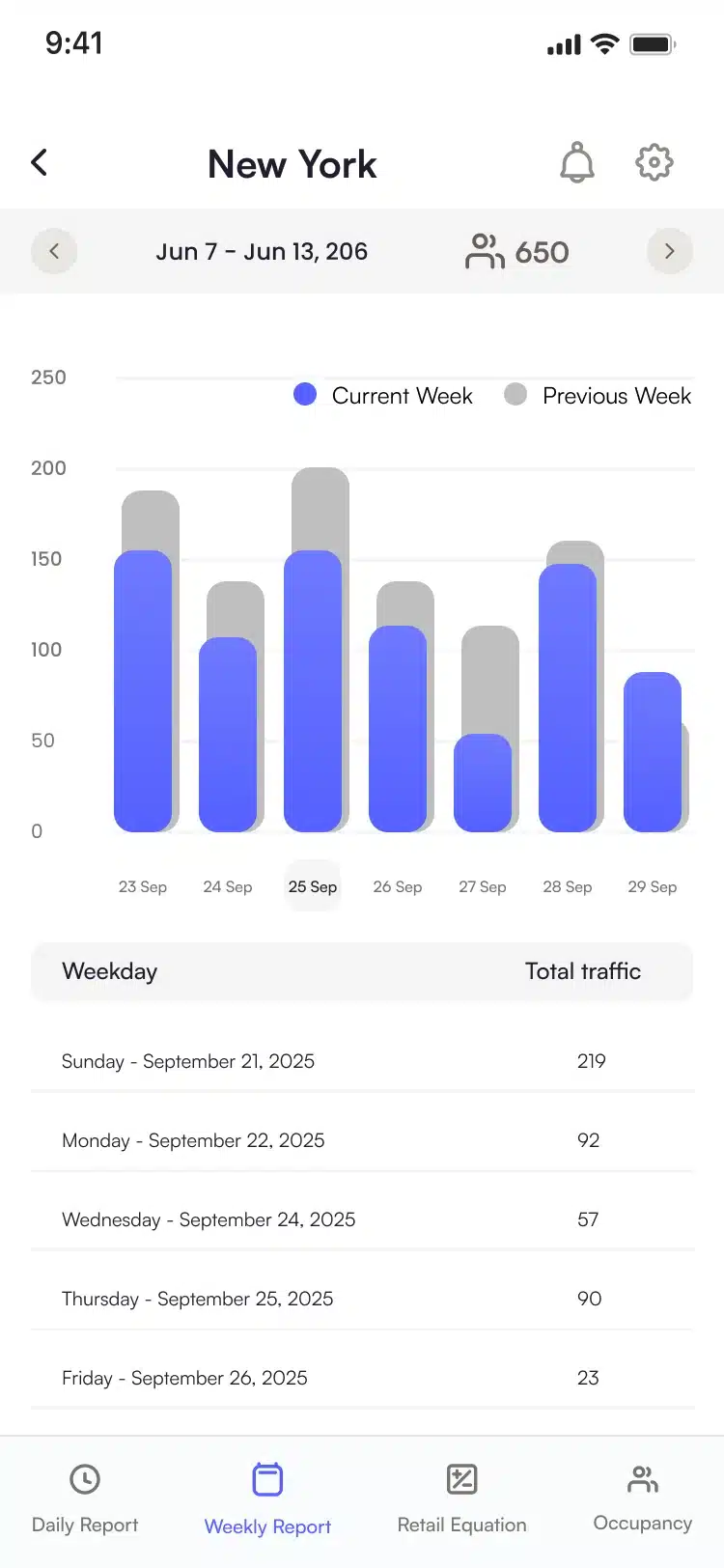
The Daily Report of the SMS Storetraffic app: today’s traffic hour by hour against the same day of the previous week

Sign up, add your organization and enter each location’s address. Set its business hours and time zone.

Remote access

Hourly and daily foot traffic reports, from anywhere

Check your latest foot traffic wherever you are. Counts update hourly in the free app, with daily and weekly reports and up to four weeks of traffic history. See entries and exits separately, and keep track of multiple locations, multiple entrances and counters from the same account.

A store owner checking her visitor traffic on her smartphone from the office
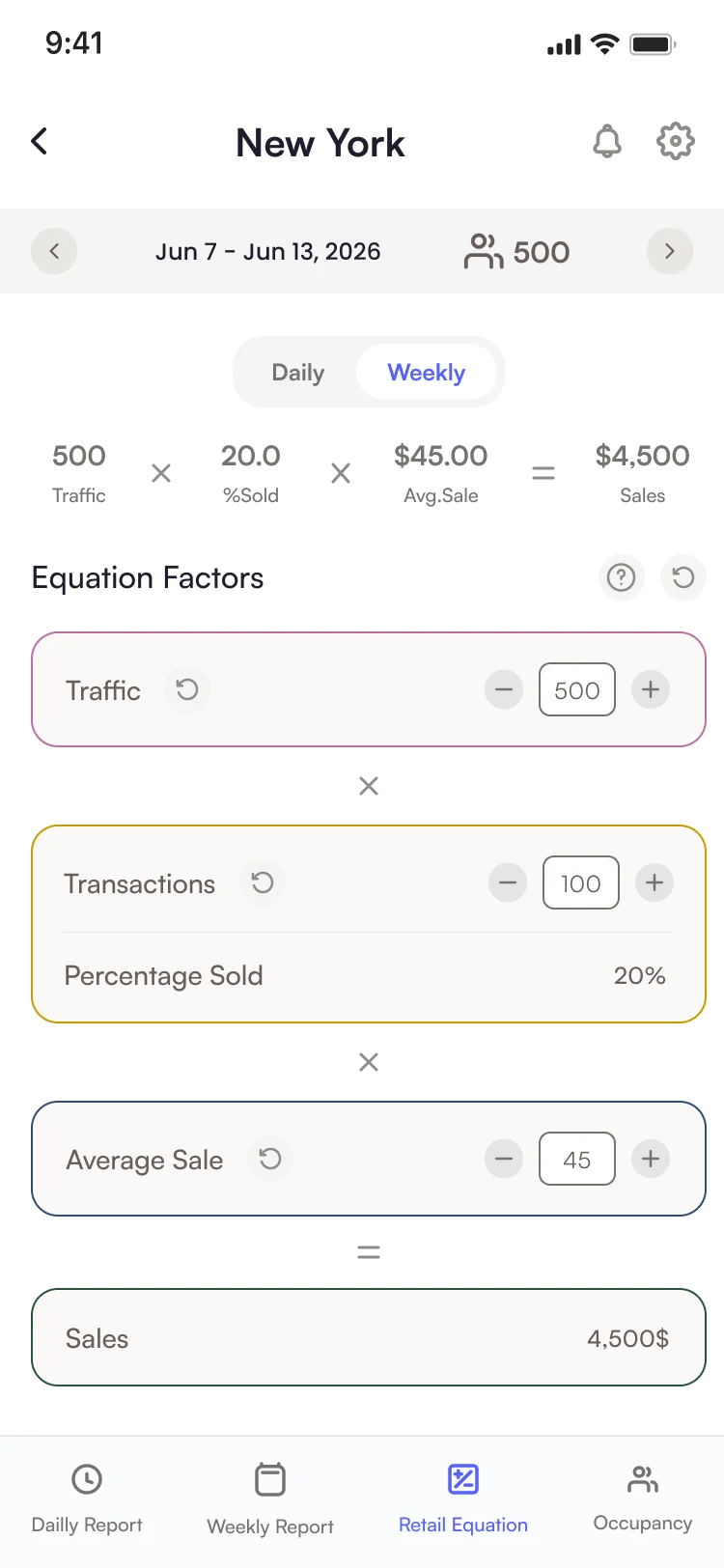
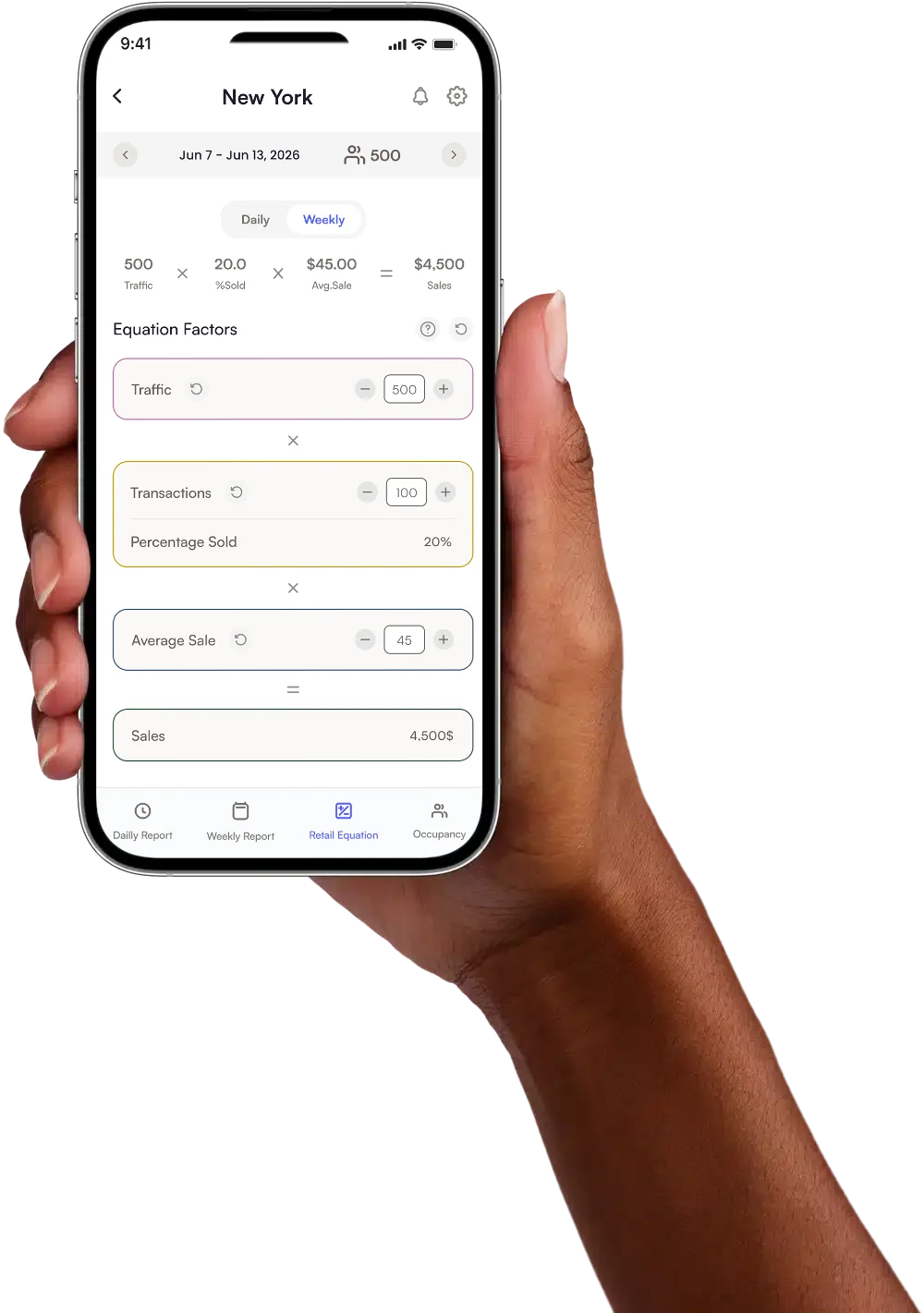
A hand holding an iPhone with the Retail Equation simulator of the SMS Storetraffic app open: traffic, transactions, percentage sold, average sale and sales

Sales simulator

Retail Equation: turn
foot traffic into sales

Retail Equation turns foot traffic into a simple sales scenario: traffic × % sold × average sale = sales. For example, 500 visitors at a 20% conversion rate and a $45 average sale represents $4,500 in estimated sales. Adjust one factor at a time to see the potential impact. On the Retail plan, sales and transactions can sync from your POS every hour.

  1. 1 Traffic
  2. 2 % sold
  3. 3 Average sale
  4. 4 Sales
The Locations screen of the SMS Storetraffic app, listing each location with its number of connected devices and an Add Location button

Set up your location

Set up and manage your locations

In the app, every counter belongs to a location: a store, a library branch, a museum entrance. You create each location once, and the app then lists them all with the number of devices connected to each.

  • Add a location

    Enter the address of each store, branch or building. The app autocompletes the address as you type and sets the time zone automatically.

  • One menu per location

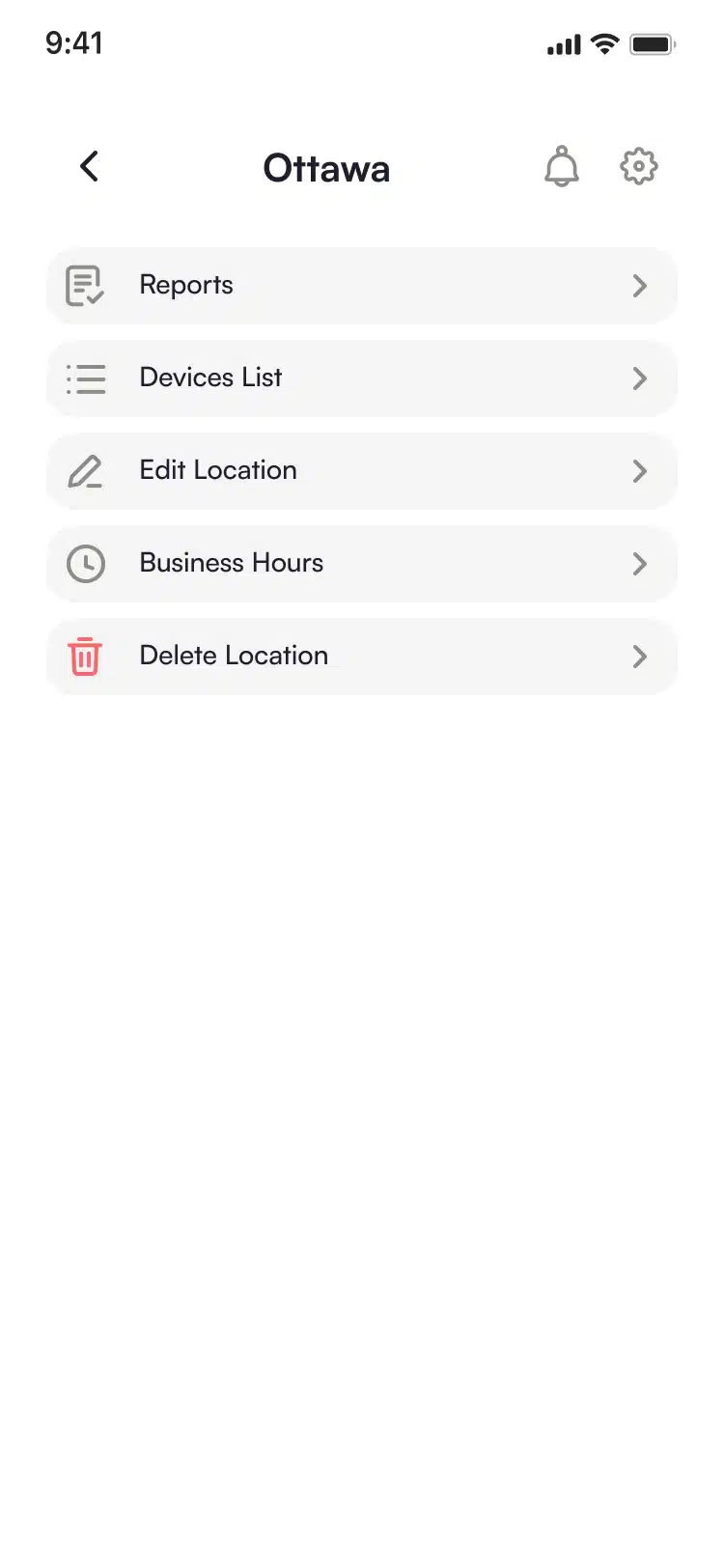
    Open a location to reach its reports and its list of devices, or to edit the location and its hours.

  • Business hours

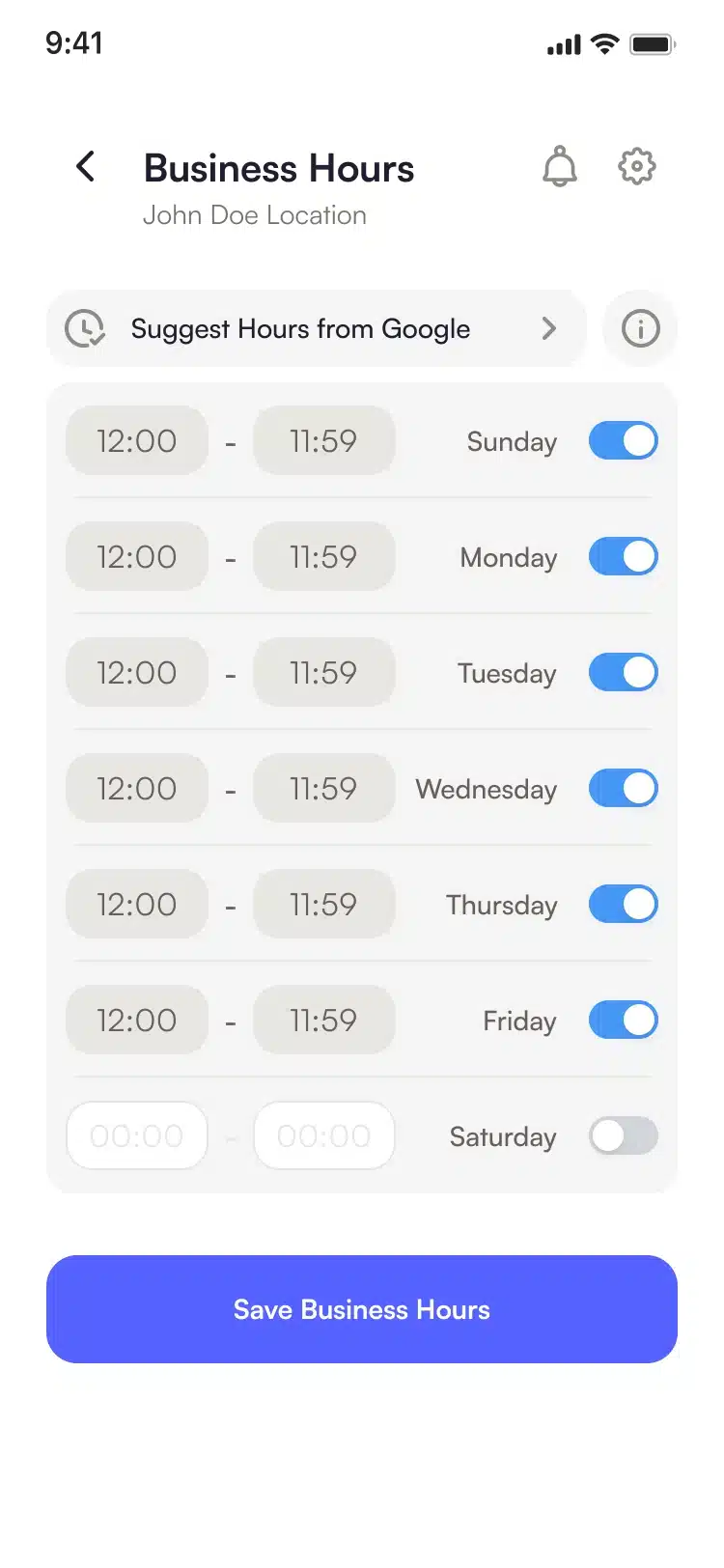
    Switch on the days the location is open and set its hours, or let the app suggest them from Google, so the reports cover your opening hours.

  • List of devices

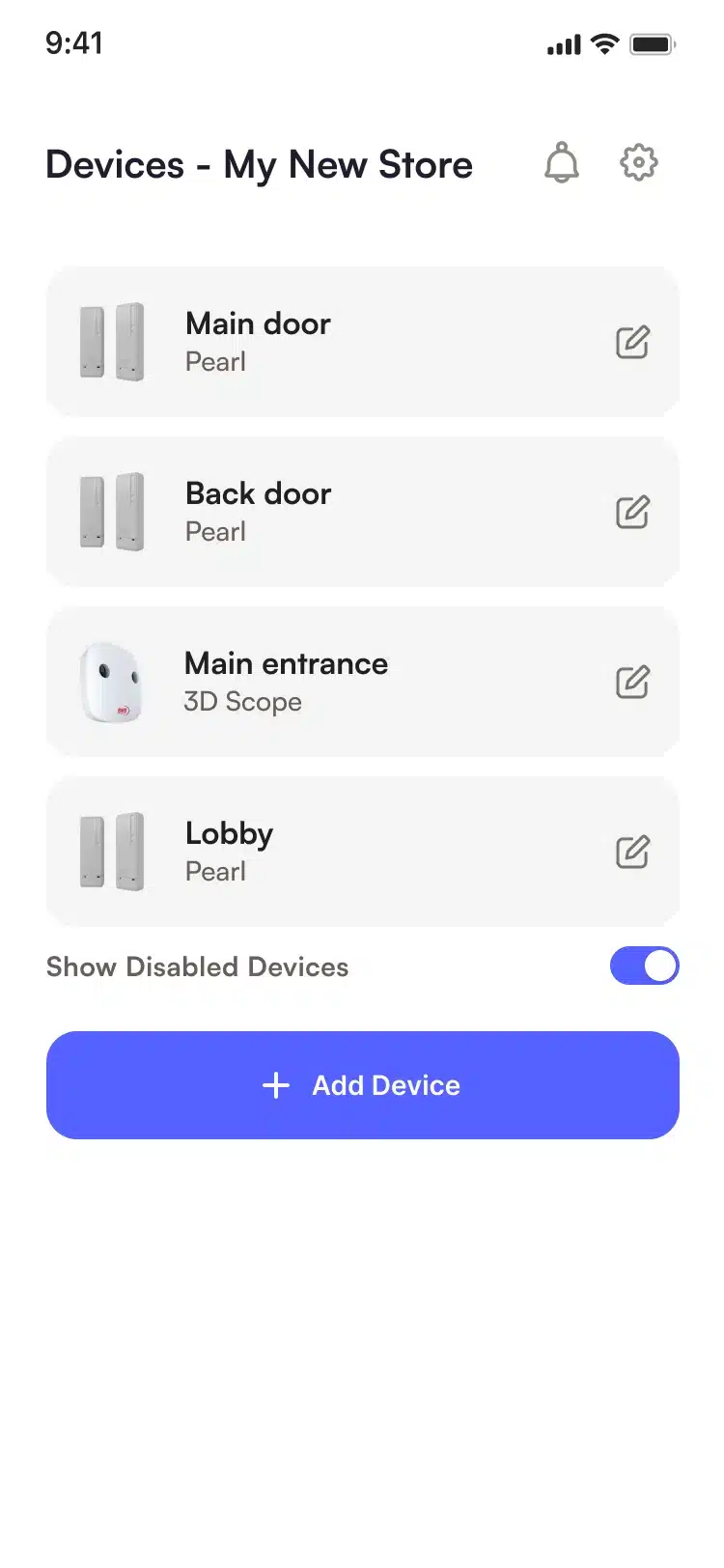
    See each counter at the location by name and type, and add another from the same screen.
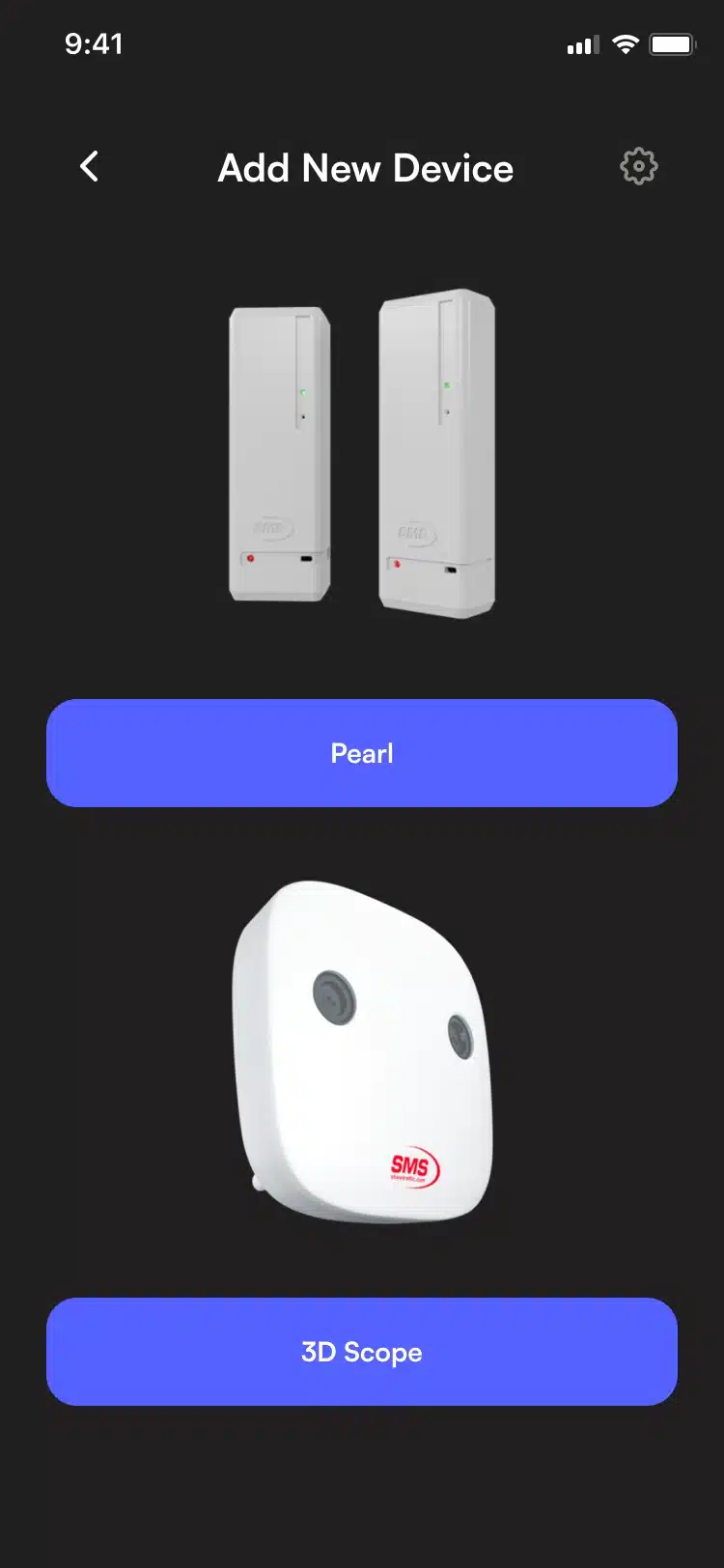
The Add New Device screen of the SMS Storetraffic app in the dark theme, with Pearl and 3D Scope

Connect your counter

Add and set up your people counter

Both SMS Storetraffic counters are added from the same screen: open the location, add a new device and pick PEARL or 3D SCOPE II LC.

PEARL

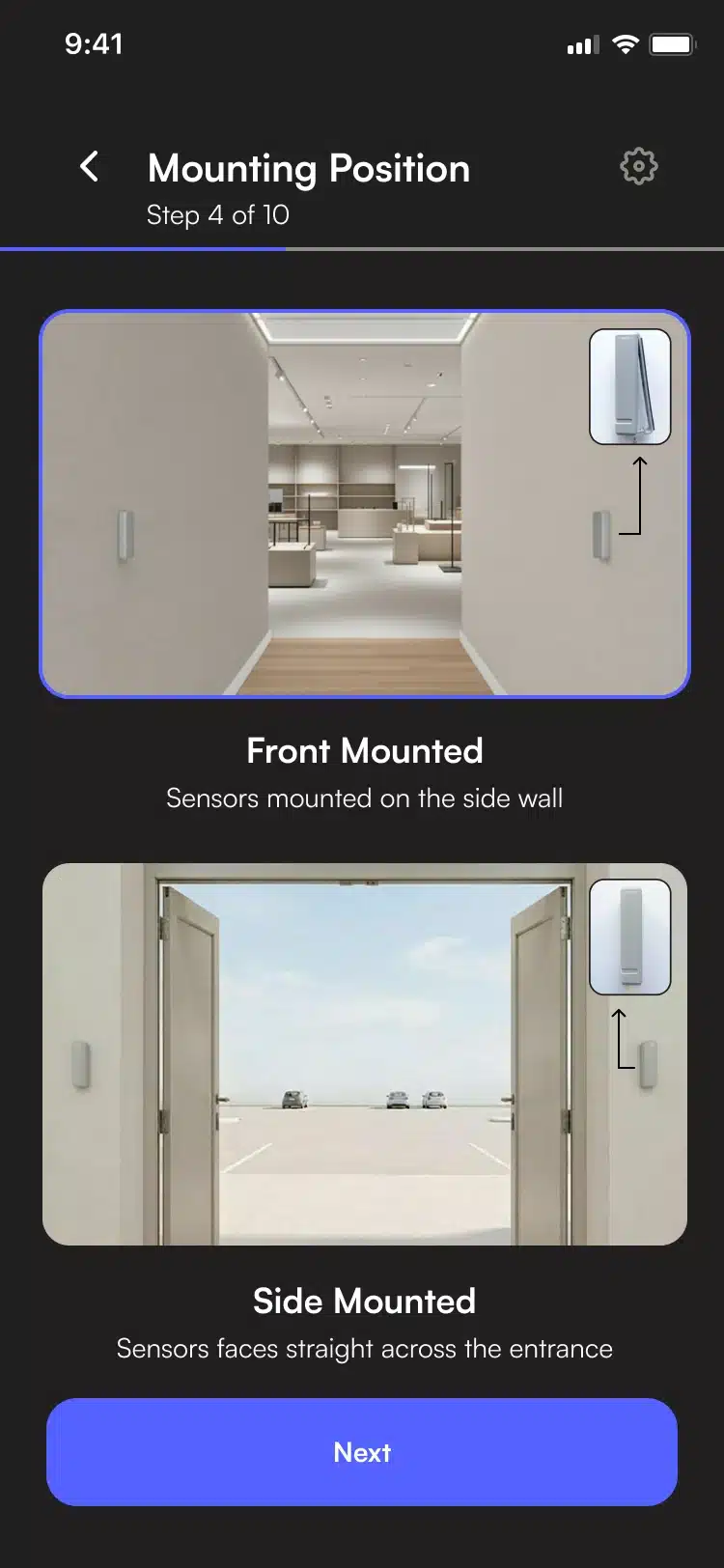
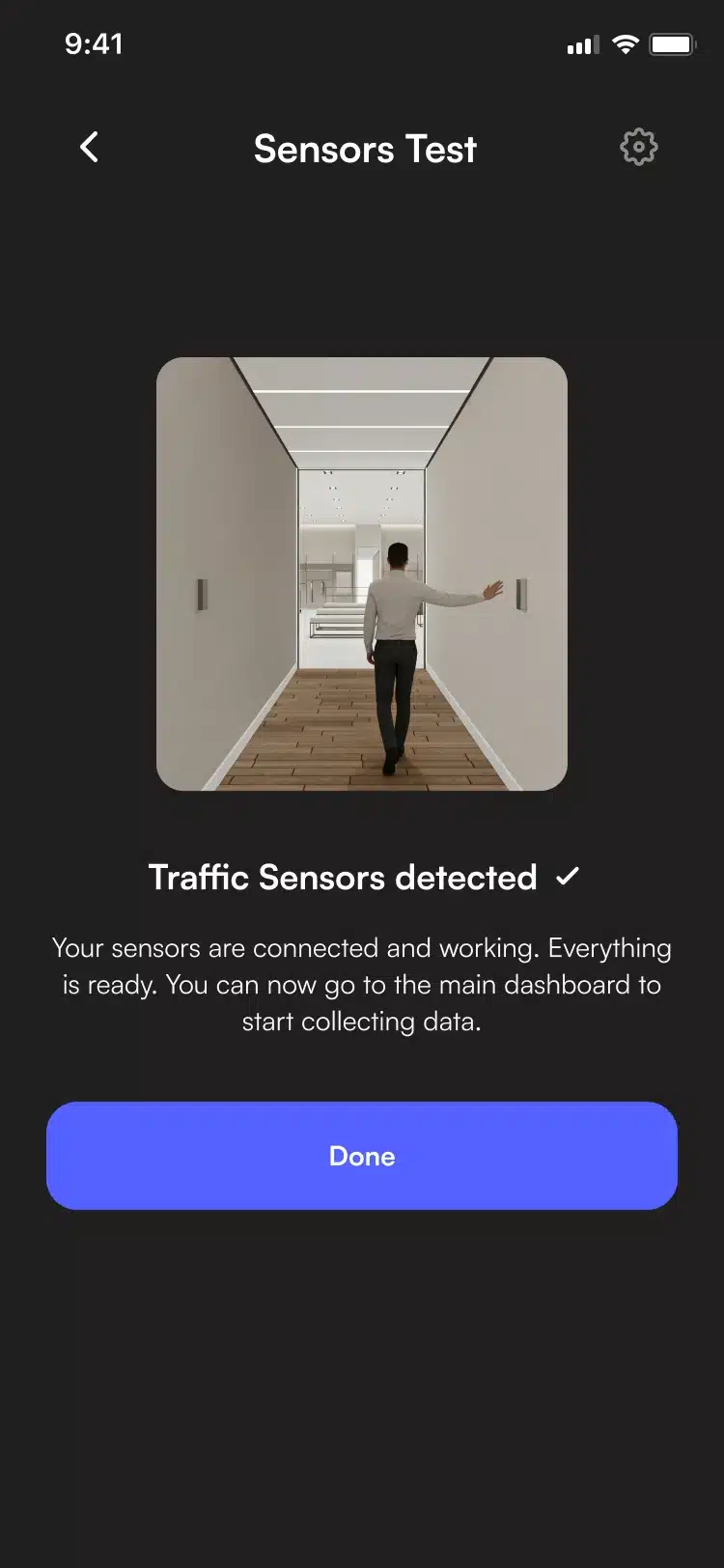
PEARL is the one you install yourself. The app walks you through ten short steps, from the mounting position to aligning the two sensors and connecting them to a 2.4 GHz Wi-Fi network, then tests the sensors. First counts appear within about two hours.

3D SCOPE II LC

The 3D SCOPE II LC is mounted on the ceiling and connected with one network cable that carries power and data. The app provides installation instructions and lets you book remote calibration.

The Locations screen of the SMS Storetraffic app, listing each location with its number of connected devices and an Add Location button
A location’s menu in the SMS Storetraffic app: Reports, Devices List, Edit Location, Business Hours and Delete Location
The Business Hours screen of the SMS Storetraffic app, with Suggest Hours from Google and the opening hours of each day
The Devices List of a location in the SMS Storetraffic app, with PEARL and 3D Scope counters and an Add Device button
The Add New Device screen of the SMS Storetraffic app in the dark theme, with Pearl and 3D Scope
Step 4 of 10 of the PEARL setup in the SMS Storetraffic app, dark theme: choosing the mounting position
The Sensors Test screen of the SMS Storetraffic app, dark theme: traffic sensors detected

What’s free, and what a plan adds.

Every SMS Storetraffic counter includes free access to the app, with no monthly fee and no time limit. A paid plan adds T.M.A.S., our analytics platform, for deeper history, more detail, more users and reports.

Lite plan

Included with every counter

$0/ month for the app

Your everyday visitor traffic, in your pocket.

  • Hourly updates and daily & weekly reports

  • Entries and exits · 4 weeks of history

  • Multiple entrances and locations

  • Counter status and email alerts

  • 1 user

  • Support by chat, email and phone

Standard · Retail · Real-Time

Go deeper.

Keep the app. Add the power of T.M.A.S.

  • 52 weeks of history in the app; all history in T.M.A.S.

  • 30-minute detail in the app, 15-minute detail in T.M.A.S.

  • Unlimited users in the app and T.M.A.S.

  • Scheduled reports, exports and API access

  • POS integration & conversion (Retail / Real-Time)

  • Live occupancy every 5 seconds (Real-Time with 3D SCOPE II LC)

The hardware behind the app

PEARL and 3D SCOPE II LC:
the counters that work with the app

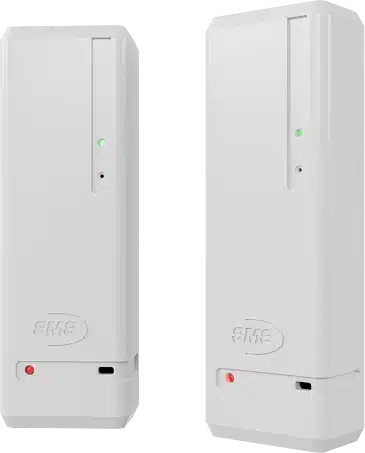
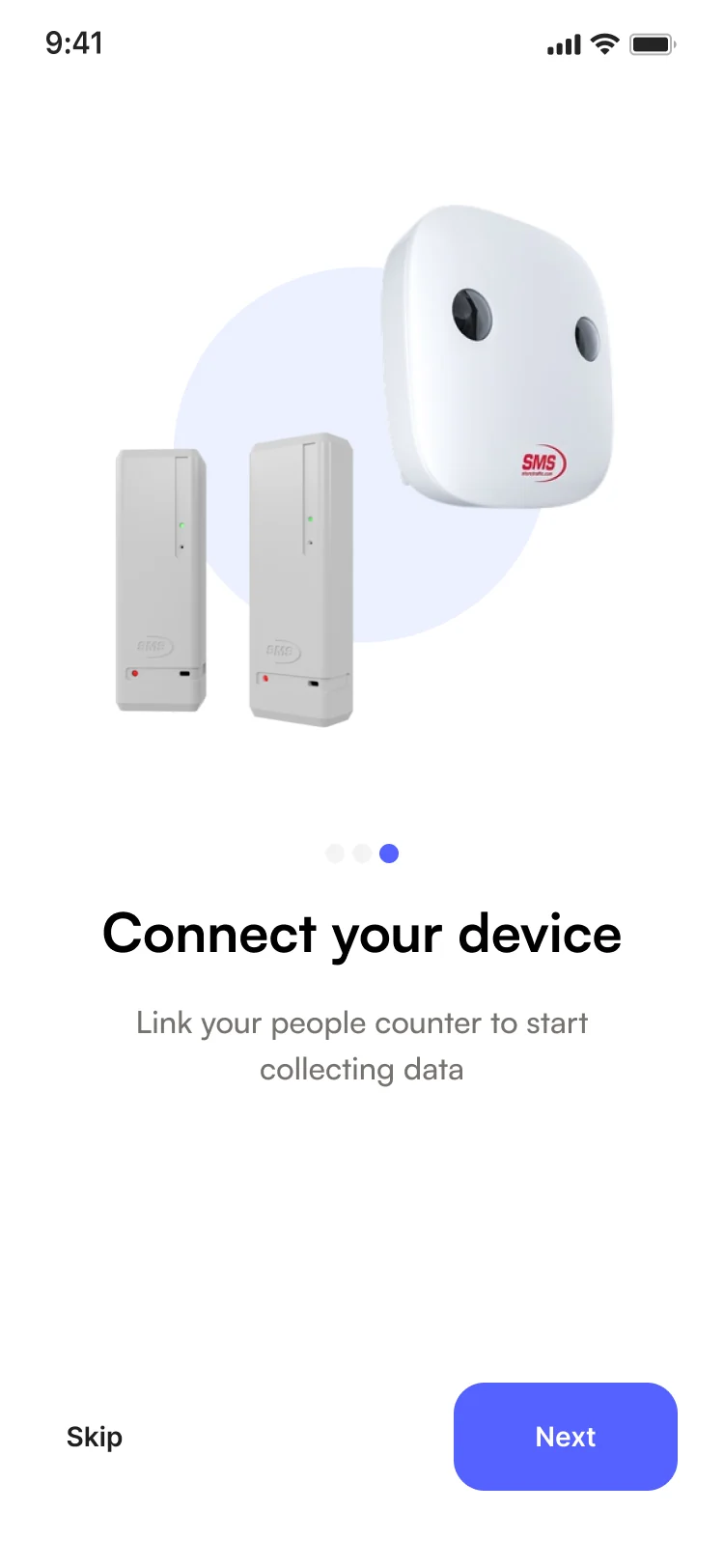
  • The two grey PEARL wireless sensors that make up one people counter kit

    Self-install · Indoor · Wi-Fi

    PEARL

    Wireless. Battery-powered. Peel-and-stick.
    Set up entirely from the app on 2.4 GHz Wi-Fi.

    Explore PEARL
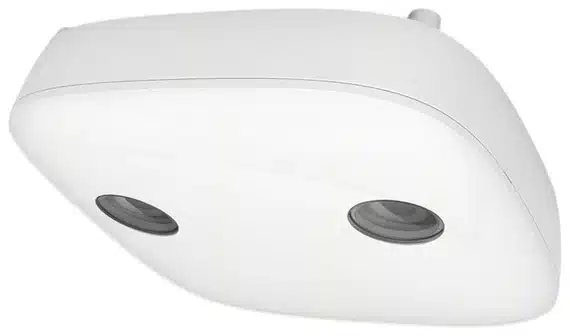
  • White 3D SCOPE II LC ceiling people counter seen from below at an angle

    3D sensor · AI · Indoor

    3D SCOPE II LC

    A ceiling-mounted counter for wide, busy entrances.
    One network cable (PoE). Live occupancy on Real-Time.

    Explore 3D SCOPE II LC
  • John W.

    Easy to setup and use. The small app provided is easy to use and has complete steps on the setup of the PEARL people counter.

    G2

  • Gabrielle E.

    I purchased the Pearl model for our library so I could track patron visits by day and hour. … I also love that the data syncs directly to my phone at no additional cost.

    Capterra

  • Cameron G.

    The interface and mobile app are great. Easy to use reporting.

    Capterra

  • Rickie G.

    Very easy to set-up and to use. Love the phone app to keep track of daily visitation.

    Capterra

  • Clementina C.

    It is really easy to use and the real time app lets us see when we are nearing capacity and need to put a temporary hold on guests entering the space.

    Capterra

Common questions about the SMS Storetraffic app

Is the SMS Storetraffic app free?

Yes. The SMS Storetraffic foot traffic and footfall counter app is free to download on the App Store and Google Play and is included with every SMS Storetraffic people counter, with no monthly fee or time limit. Paid plans are optional if you need additional analytics and T.M.A.S.

Do I need an SMS Storetraffic people counter to use the app?

Yes. The app does not count people on its own: it shows the counts recorded by an SMS Storetraffic counter at your entrance, such as the PEARL or the 3D SCOPE II LC. Without a counter there is no traffic to show.

Can I set up my people counter with the app?

Yes. For a PEARL, the app guides you step by step through the whole setup, from creating your location to connecting the sensors to your Wi-Fi. For a 3D SCOPE II LC, you add the counter in the app, follow its installation instructions and book its remote calibration.

How often is my traffic updated, and how much history can I see?

On the free Lite plan, your counts refresh every hour and the app keeps the last four weeks. Your first counts appear within about two hours of setup. With a Standard, Retail or Real-Time plan, the app shows 52 weeks of history, and T.M.A.S. holds your complete history in 15-minute intervals. History starts on the day your counter was installed.

Does the app support multiple entrances and multiple locations?

Yes, the app supports multiple entrances and multiple locations at the same time: add a counter for each entrance and manage all your locations from one account.

Can I change my business hours or a counter’s settings later?

Yes. Each location has its own menu in the app, where you can edit its address and business hours at any time. From the list of devices, you can also rename a counter, configure its Wi-Fi again or check when it last reported.

Can more than one person use the app?

The free Lite plan includes one user, who can be signed in on two phones or tablets at the same time. Standard, Retail and Real-Time plans include unlimited users, in the app and in T.M.A.S.

What is the Retail Equation Simulator?

It is a tool in the app for stores, built on the retail equation: traffic × % sold × average sale = sales. Enter your transactions and average sale for a day or a week, and it calculates the share of visitors who bought. Change one factor at a time to see how it would move your sales; the simulation never changes your data. On the Retail plan, sales come from your point of sale automatically.

What is the difference between the app and T.M.A.S.?

The app is the free mobile view of your traffic, and the place to set up a PEARL or a 3D SCOPE II LC. T.M.A.S. is our analytics platform in the web browser, included with the Standard, Retail and Real-Time plans. It adds your full history, 15-minute intervals, up to 26 reports, scheduled reports, exports, a web API, marketing and special event tracking, weather data, POS integration and occupancy tools.

What languages is the app available in?

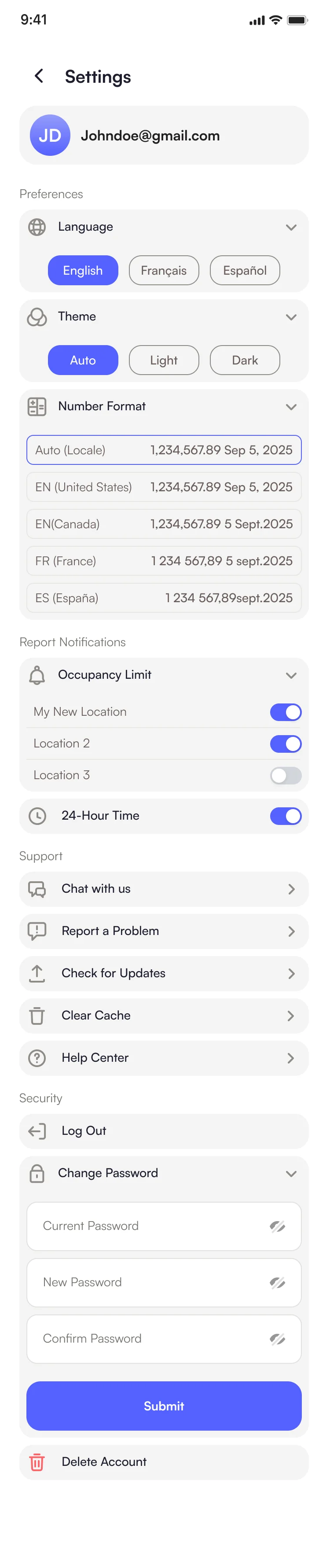
The app is available in English, French and Spanish, and you can switch language in its settings.

Is the app available on iPhone and Android?

Yes. Download it from the App Store for iPhone (iOS 15.1 or later), or from Google Play for Android phones.

Where can I get help with the app?

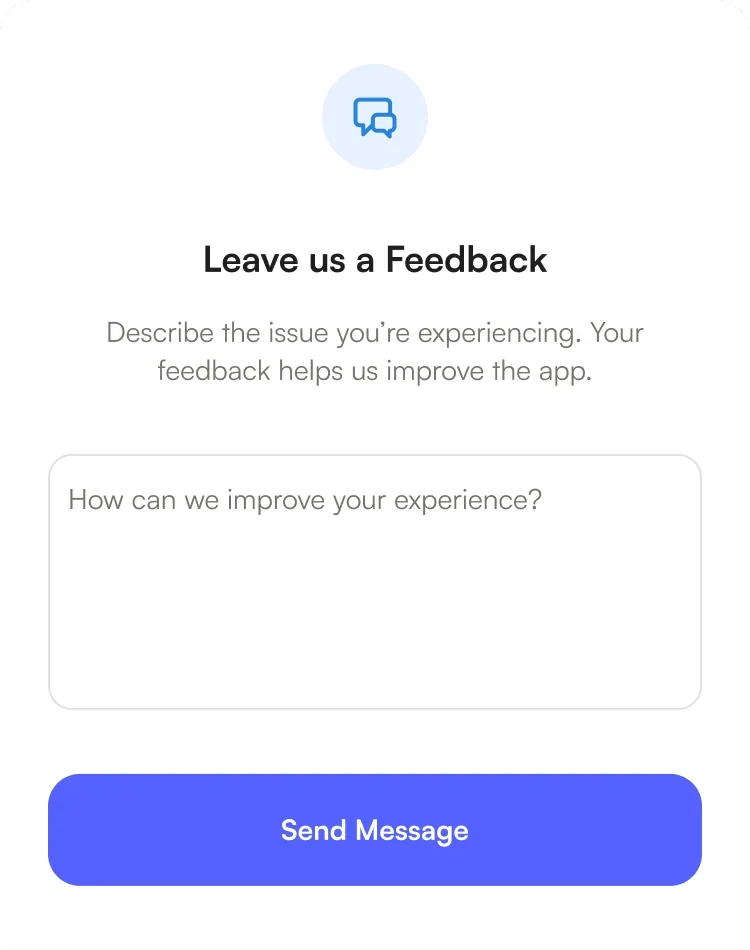
Our support team is just a chat away. Open the chat right from the app and we’ll help you get the most out of your counter.

Get the SMS Storetraffic app.

Free on the App Store and Google Play. Sign in with your SMS Storetraffic account, or create one in the app when you set up your first counter.

Download the SMS Storetraffic app on the App StoreGet the SMS Storetraffic app on Google Play

No counter yet? See counters and plans